Queuing transactions
Leveraging a transaction queue is recommended to make integrations more robust. It is especially useful where:
- static reference numbers are not available
- a failed transaction in a downstream system needs to be requeued without corrections in Dayforce
- a dependent record type is required from Dayforce
This approach is preferred because it allows the consumer to process and react to errors one transaction at a time, and when necessary, ensures transactions are processed in a specific order. The following flow chart provides a basic overview of Dayforce Web service requests that are managed by a process queue. In this example, the integration is used to synchronize employee data from Dayforce to a target system:
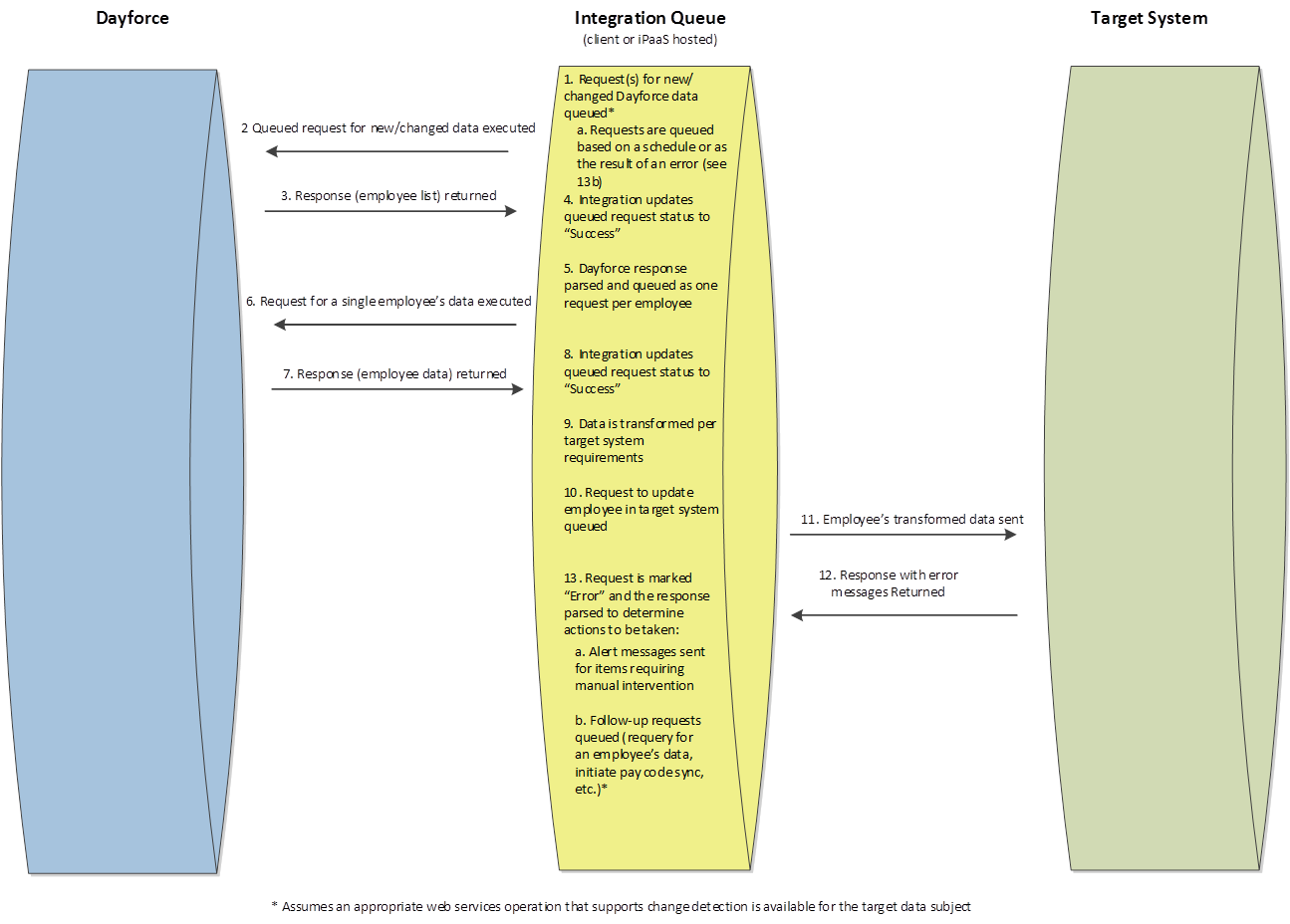
The first step in the process is to determine which employees have new/changed information since the previous successful request. A request for each employee with changes is then queued. Since the request is employee specific, when it is executed, the response from Dayforce can be used to note if the request was successful. Responses from successful requests can then be transformed into a data request that the target system can accept and queued as a new transaction. When the transaction is sent to the target system, it is still for a given employee, and when the target system’s Web services are used, a response will be returned to note if the request was successful. Automated error recovery processes may be called based on the error from the target system if the content clearly indicates the nature of the problem. An example of automated error recovery is queueing a request to retrieve pay code data from Dayforce when the error message indicates the target system does not have the provided code on file. The integration may also be able to send email or text notifications when no automated error recovery routine is available for the provided error.